30+ Years with a Remote: Discover the Right Way to Use It Now!
30+ Years of Experience: Mastering the Art of Remote Control Usage
- Understanding Your Remote
- Key Functionalities to Explore
- Troubleshooting Common Issues
- Mistakes to Avoid
- Frequently Asked Questions
Many of us have spent countless hours wrestling with our remote controls, whether it’s trying to find the right button or figuring out how to navigate new features. If you’ve ever felt frustrated by your remote, you’re not alone. With over three decades of advancements in technology, remotes have evolved significantly, making it essential for you to understand how to use them effectively. This guide will help you unlock the full potential of your remote control, so you can enjoy a seamless experience.
Understanding Your Remote
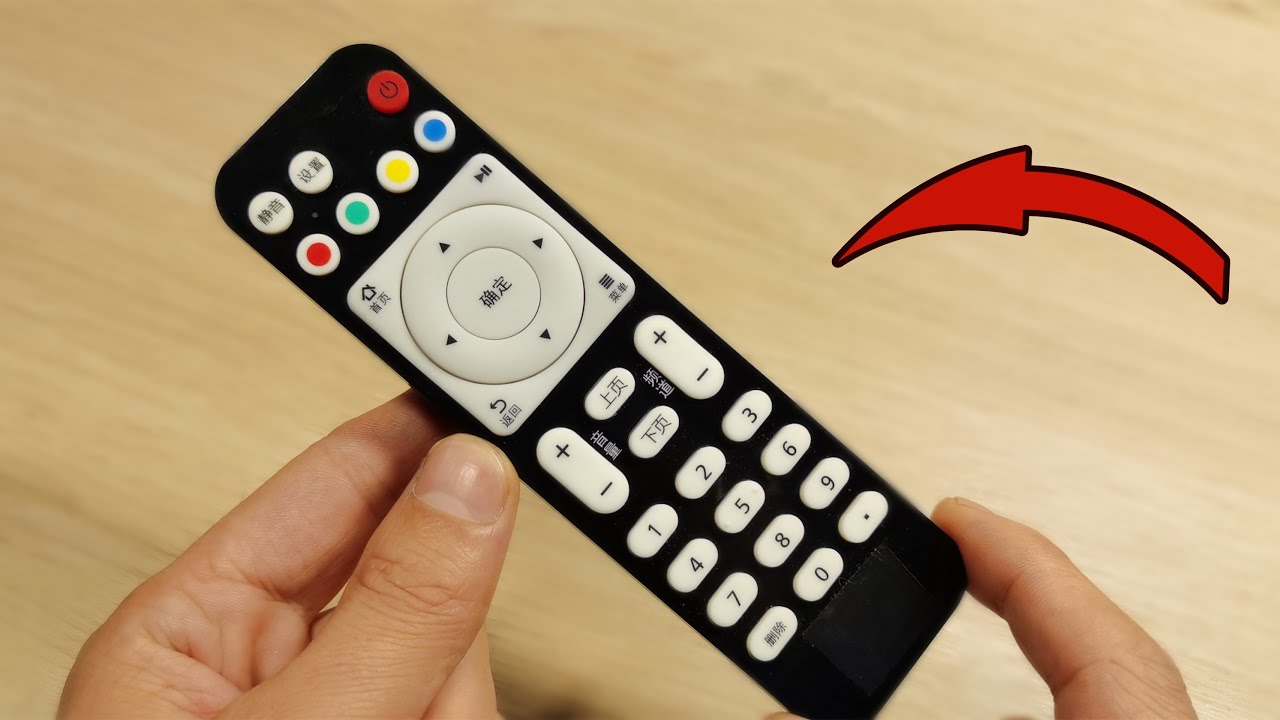
Your remote control is a compact device packed with essential features designed to enhance your viewing experience. Familiarizing yourself with these features is crucial for seamless navigation.
1. Identifying the Buttons
- Familiarize yourself with the layout of your remote. Typically, you’ll find buttons for volume control, channel changing, and power.
- Note any unique features your specific model might have, such as dedicated streaming service buttons or a microphone for voice commands.
- Make a simple chart of the buttons and their functions as a handy reference.
2. Understanding Compatibility
It’s important to ensure that your remote is compatible with all your devices. This can include your television, sound system, and streaming devices.
- Check each device’s compatibility requirements by consulting the user manuals or the manufacturer’s website.
- Utilize a universal remote if you prefer a single device for multiple functionalities.
Key Functionalities to Explore
Exploring the full range of functionalities available on your remote can significantly enhance your user experience. Let’s delve into some of these key features.
1. Smart Features
Modern remotes often come with smart features that can simplify your entertainment experience.
- Explore voice control options that allow you to change channels or search for shows with just your voice.
- Utilize app integration if available, allowing you to control devices from your smartphone.
2. Customization Options
Many remotes allow for customization, giving you the chance to set them up according to your preferences.
- Create shortcuts for frequently used channels or apps.
- Program your remote to operate other devices, which can reduce clutter on your coffee table.
Troubleshooting Common Issues
Problems with remotes can arise, but often they are simple to resolve. Here are some common issues along with solutions.
1. Remote Won’t Work
If your remote stops functioning, take these steps:
- Change the batteries, ensuring they are inserted correctly.
- Check for any obstructions that might be blocking the signal between the remote and the device.
2. Buttons Not Responding
Sticking buttons can be a common annoyance. Here’s what you can do:
- Clean the remote with a soft cloth, ensuring no debris is lodged under the buttons.
- Consider disassembling the remote if necessary to completely clean the internal parts.
Mistakes to Avoid
When using your remote control, it’s easy to make some oversight that can create frustration. Here are a few common mistakes to steer clear of.
- Neglecting to update your hardware or software, which can lead to compatibility issues.
- Forgetting to program your remote correctly, which might result in losing functionalities.
- Using too many remotes at once, complicating the user experience instead of simplifying it.
Frequently Asked Questions
What do I do if my remote control is not working at all?
Check the batteries first, then look for any signal obstructions. If the issue persists, consult the user manual or customer service.
Can I use my smartphone as a remote control?
Yes, many smart TVs support mobile apps that can function as remote controls for basic navigation and app access.
Is there a way to customize my remote for easier access?
Absolutely! Many remotes offer customization options where you can create shortcuts to your most-used functions or channels.
In summary, understanding how to use your remote control can greatly enhance your viewing experience. Avoid common pitfalls by familiarizing yourself with your device and customizing it to your preference. What features do you find most helpful in your remote control? Feel free to share your thoughts in the comments below!